
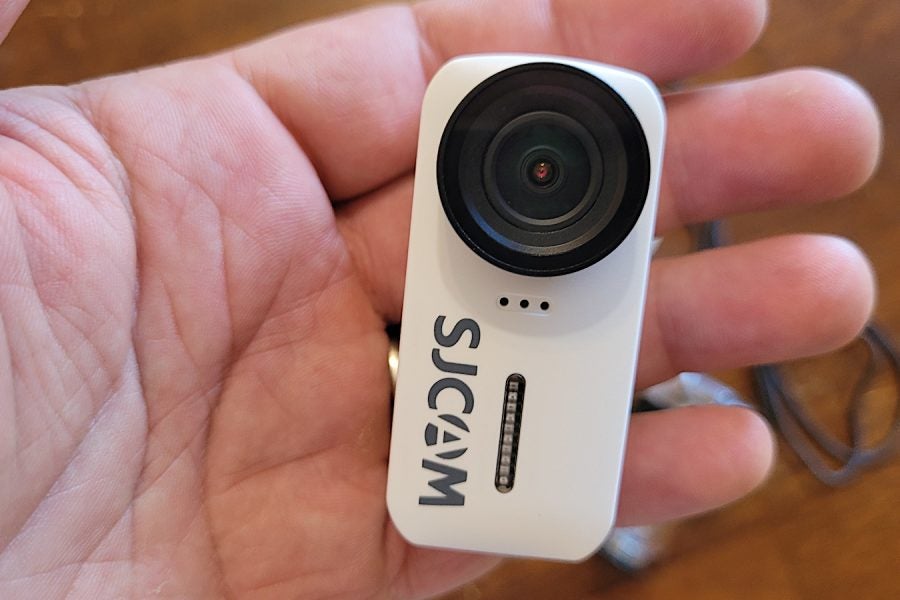
The big names of the action camera world are GoPro, Insta360 and DJI, and then there’s everyone else. SJCAM is one of the “everyone else” list; they’ve been making lower-priced action cameras for quite some time now, and some of their earlier hardware was reckoned to be good bang-for-buck for buyers on a budget. A few months back, they released the C110+ camera and they’ve sent me one to test.
SJCAM C110+ features
- Small form factor
- 4K/30fps resolution
- Low price
The C110+ is small, roughly the size of the Insta360 GO series cameras, which it is probably inspired by. It’s about half the size of your common GoPro camera; about the size of a grown man’s thumb. It will record in a range of video resolutions, including 4K/30fps as the highest possible quality. It has no external screen; the only controls are two buttons, which serve to power the camera on/off, to start/stop recording and to connect/disconnect wi-fi. To switch recording modes, and to use other controls, you must connect the camera to your phone via the SJCAM app; it connects via wi-fi, not Bluetooth.
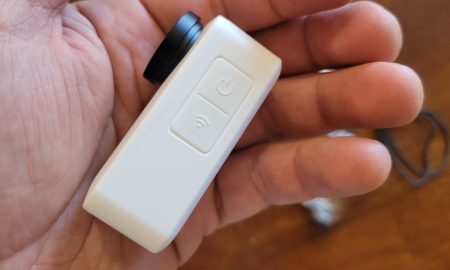
The camera only has two buttons; most control happens in the app. Photo: Zac Kurylyk
The camera comes some mounting equipment including a magnetic pendant; a charging cord; and a basic instruction manual in the box.
Using the C110+
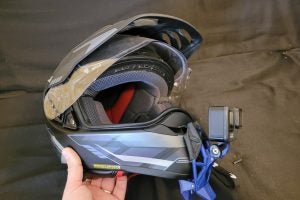
To mount the camera on your bike or riding gear, put it into either the clear plastic case that’s included, or the bracket; both have mounting tabs underneath. There is no mounting option built into the camera’s body, except for using the magnetic pendant. The case and bracket both will fit most three-tab GoPro-style mounts.
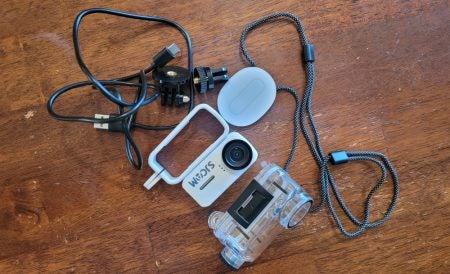
SJCAM packages a few mounting accessories in the box. Note the white bracket-style mount on the left, and the full case on the right. The case offers far more protection to the camera’s lens, and also cuts wind noise down. Photo: Zac Kurylyk
Once mounted, it’s an easy camera to use, if you’re controlling it with the app. The app shows your field of view, shows your recording mode (you can do standard horizontal video, vertical video, slow-mo, still photos, photo or video timelapse, loop-style recording at 3-, 5- or 10-minute intervals, or dashcam mode). The app also lets you tweak the camera’s light balance settings and other basic details of the recording, and select your recording resolution.
The app really is key to getting the most of the camera. You can stop/start recording without it, by using the button on camera, but the app works better.
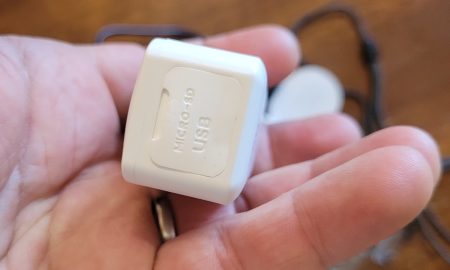
The capability to take a removable SD card sets the SJCAM C110+ apart from some similarly tiny competitors. Photo: Zac Kurylyk
Eventually it will be time to download the files off your camera. At first, I just downloaded straight to my computer via USB connection, as the app is clunky and I had a hard time figuring it out. Later I figured out how to use the app as well. While you can do many of the same things that you can with GoPro and Insta360’s apps, even share to YouTube or social media, you will have to do some thinking and digging to find some options. I actually think the app is not terrible for many users, as it’s so basic that you don’t get bogged down in the options like you would on a more expensive camera. But you will have to do some thinking and use trial and error to figure it out.
And then, once the files are downloaded, you’ve got your raw footage to deal with. The camera records to an onboard microSD card, and I know that it will accept a card of at least 128GB, because that’s what mine came with.
The camera’s limitations
This is where the limitations of the SJCAM C110+ become evident. See in the footage below; when used with just the bracket, hanging off the side of the bike, there appears to be no wind cancellation at all, by the sound of the audio. Even when the bike isn’t moving, the engine sounds weird.
Also, note that while this does have image stabilization, it appears to be limited in its capability when hard-mounted to the bike.
Here’s a look at what the slow-mo footage looks like on 8x (the most slowed-down it can go).
Later, I tried wearing the C110+ camera on a GoPro strap-on chest rig, in the full case and not just the bracket. This meant the mic was fully encased. Having the camera behind my Super Tenere’s windshield cut down wind noise dramatically, as you’d expect, but other weird noises seemed to be distorted instead. And when I stood up and the C110+ was back in the airstream, the case did cut down on wind noise a bit, but it was still there.
And here’s a look at what the camera can do when it’s not at speed. In this clip, my battery died and I was pushing the bike uphill.
Looking at it all, you be the judge as to whether this would work for you or not.
One other note: When using the camera in low temperatures, I felt the battery drained very quickly, as in, from 75 percent to zero in an hour or less. That might be fine for shorter rides, but it won’t work for longer rides. Of course, if it was warm out, that might be different, but unless someone wants to fly me to California to test this in a better climate, I can’t comment for sure.
The bottom line
I think that if you were wearing this camera on a chest or helmet mount, you could probably use it as a basic trip recorder; just don’t expect to use the audio. The video won’t be top-tier quality, but then, you can’t expect that for a $149 MSRP.
I also think that it has some value as a dashcam-style video recorder. In this role, you don’t need to have top-tier footage that lets you see a gnat on the backside of the deer that you almost ran into. You want a cheap camera that you don’t mind taking a bit of a beating, and this camera would work for that.
If you’re looking to seriously document your rides, and break into YouTube, a bottom-tier camera from Insta360, GoPro or DJI will only be a little bit more money. Those companies’ cameras will give you access to a far more powerful app.
My bottom line is this: There are far better cameras for not that much more money; if this is all you can afford, I’d counsel you to figure out how to get a few extra shekels and wait. But if that’s not an option (everyone’s situation is different), you could still use this camera, but you must be ready to work around its hardware and software limitations. People have documented RTW rides on potato cameras that were far worse than this, and still made good stories of it.